Your quote, online
Choose your finishes. Watch your total. Sign when you’re ready.
Most quotes from us arrive as a private web page made for your project. Every line has its price, every choice you make updates your total including HST, and after you sign, the same link becomes your project page.
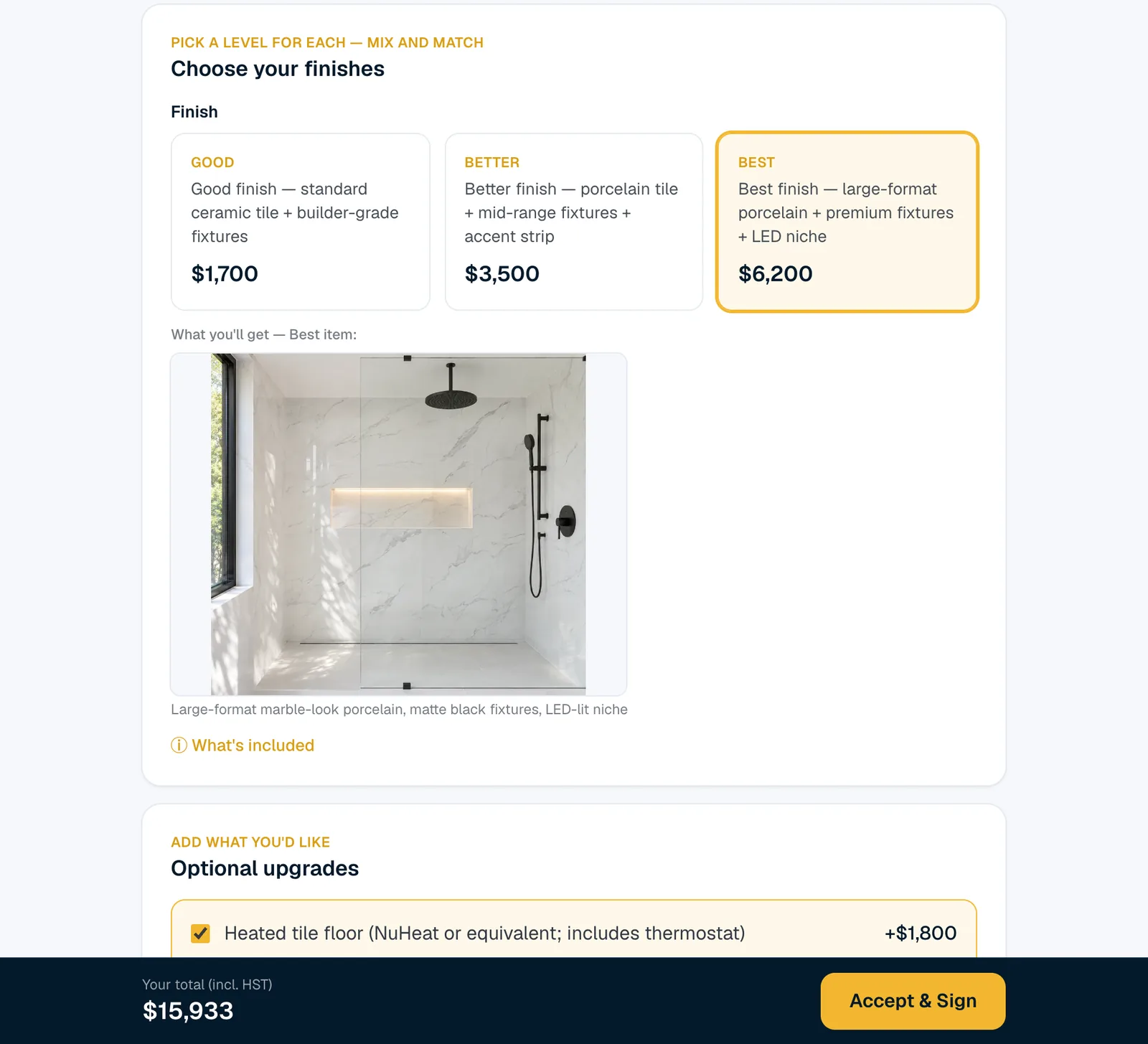
Sample proposal for illustration — your price depends on your project.
Every line priced
See what each part of the job costs, line by line.
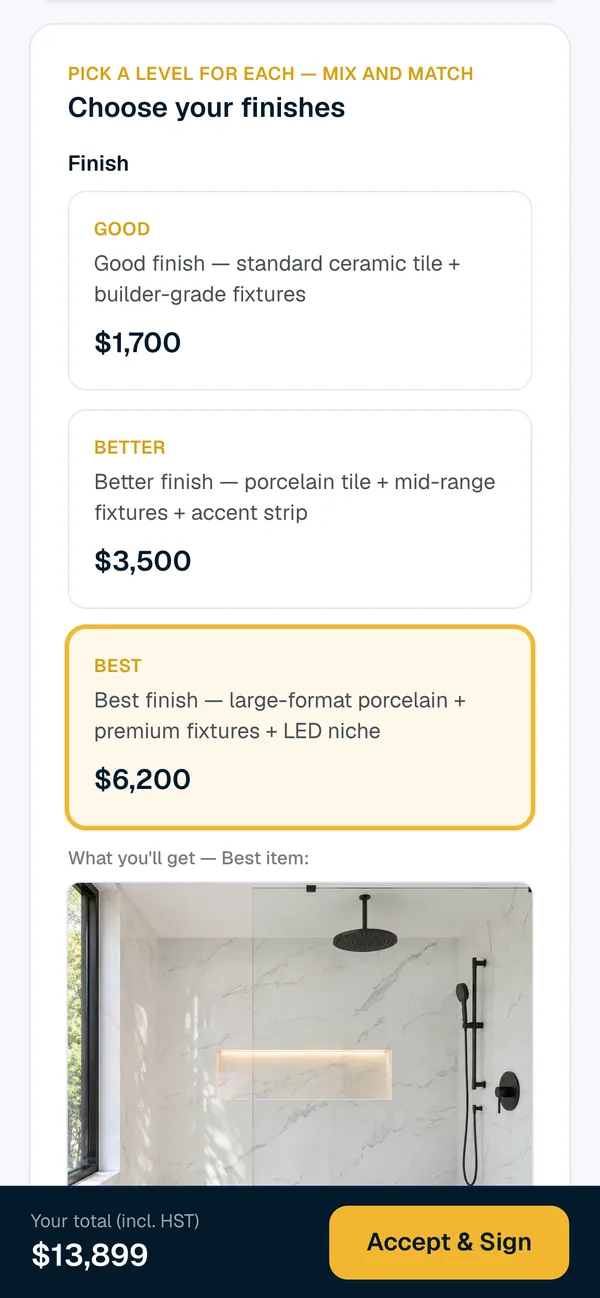
Good, Better or Best
Pick a level for each finish. Options can come with a picture of what you’d get.
Your total, live
Tick an upgrade and your total, including HST, updates on the spot.
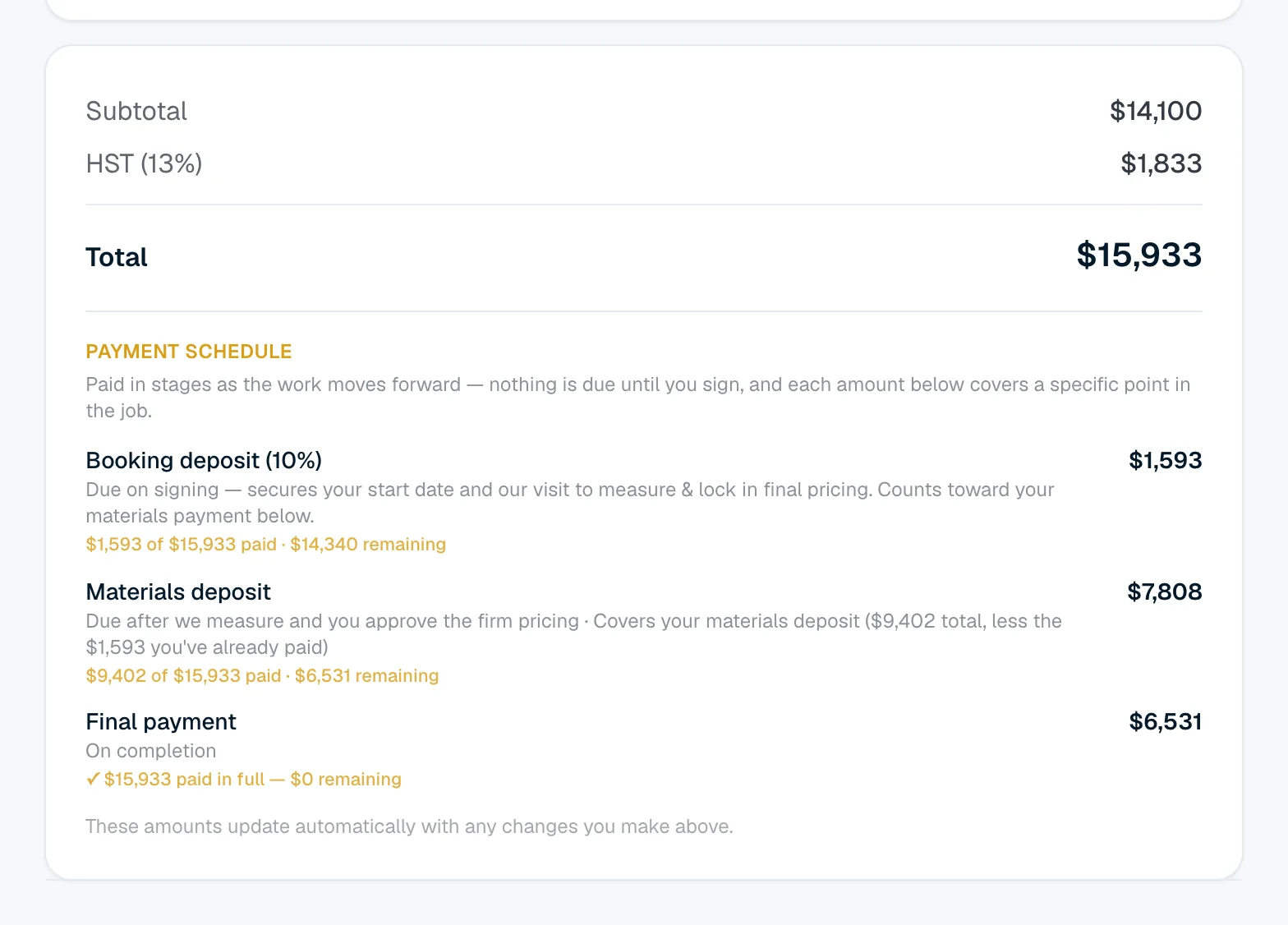
Payments by stage
Every payment and when it’s due, laid out before you sign.
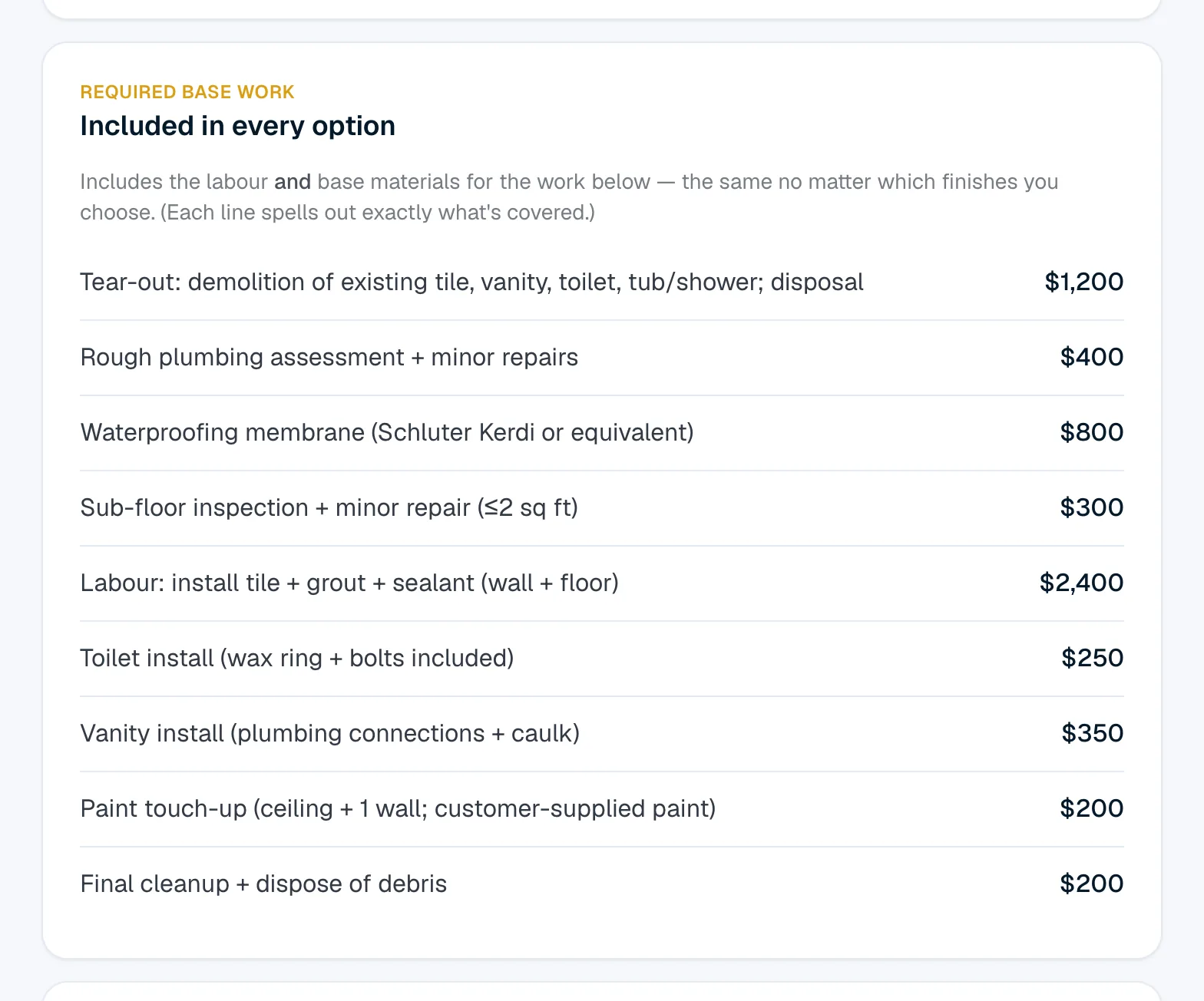
See what every part of the job costs
The work is listed line by line, each with its price — tear-out, waterproofing, tile labour, fixture installs, cleanup. You can see what you’re paying for before you decide.
- A price on every line
- A “What’s included” note on each option
- Subtotal, HST and total, in plain view
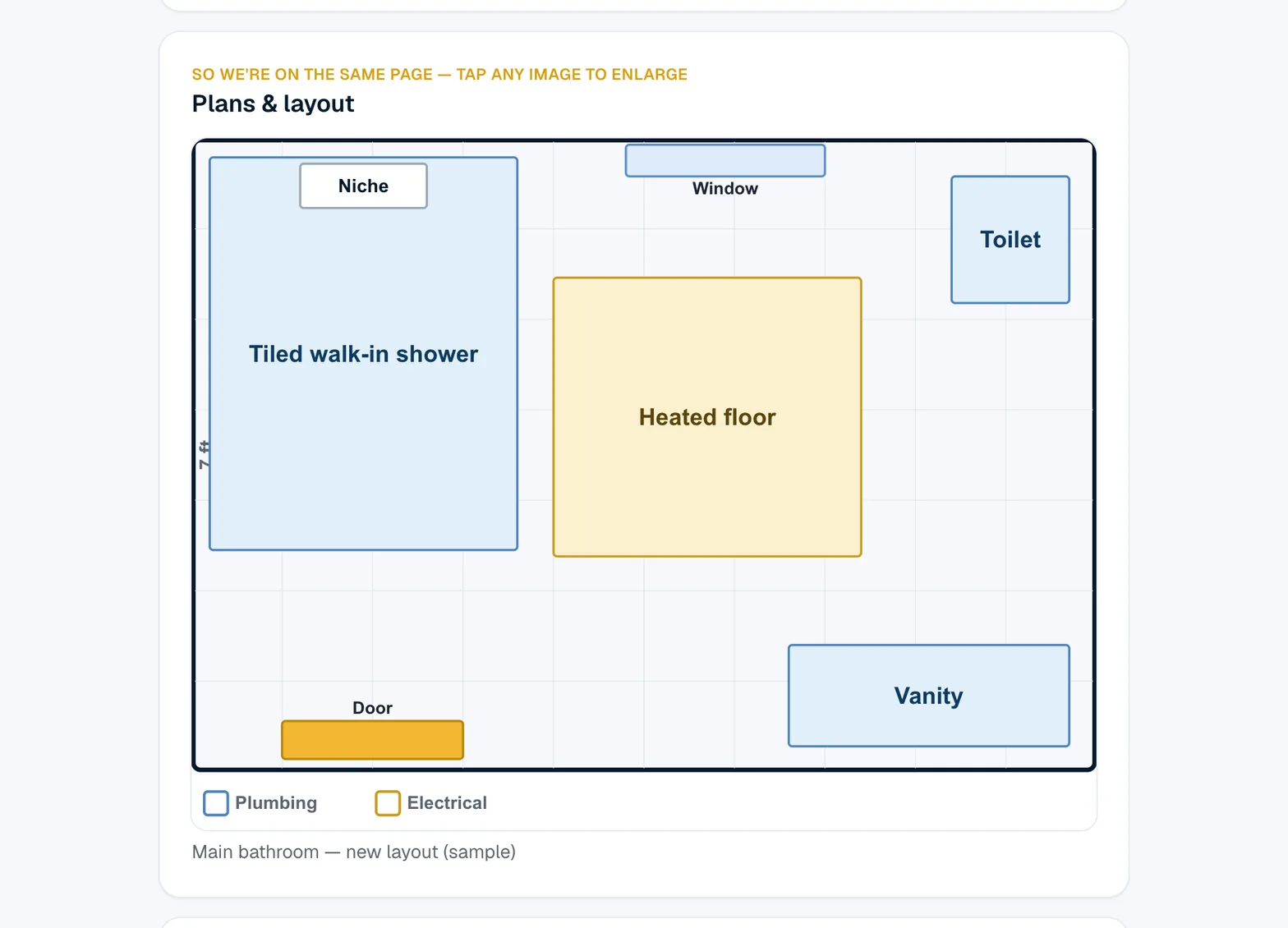
A plan, when the layout matters
When it helps to see where things go — the shower, the vanity, the toilet, the heated floor — your quote can include a plan to help explain the layout.
- Plans right in your quote
- Tap a plan to see it bigger
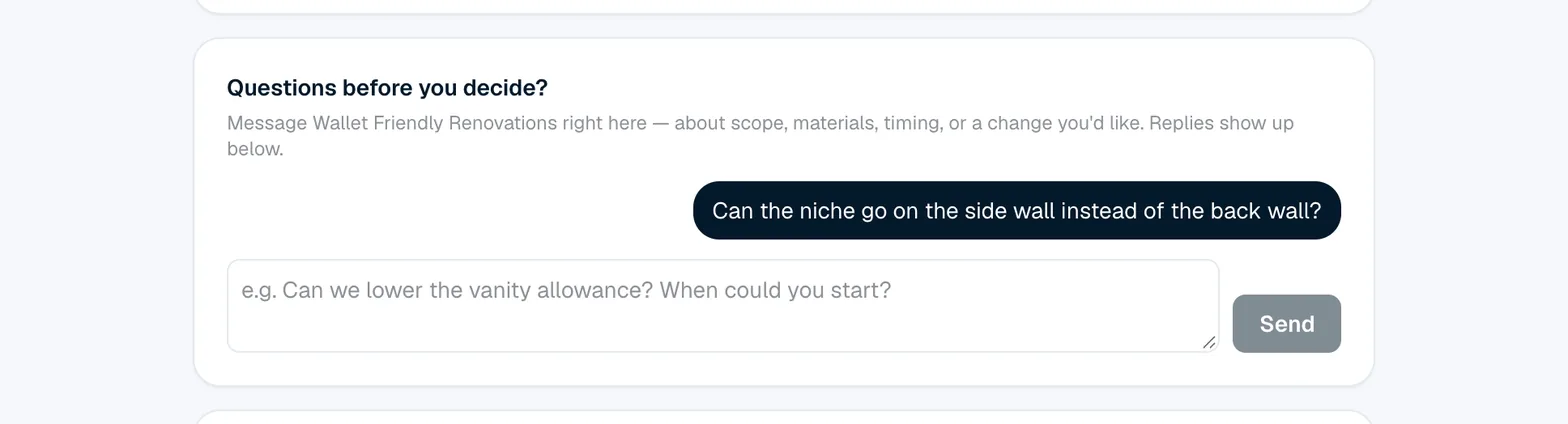
Questions? Ask them on the quote
Your quote page has its own message box for questions about the scope, materials or timing. Your messages stay with the quote, right where the prices are.
Know every payment before you sign
Your payment schedule is laid out in stages: a booking deposit when you sign, a materials deposit after we measure and you approve the firm pricing, and the final payment on completion.
Change a finish or add an upgrade, and the amounts update with it.
- Each stage shows its amount
- Updates with the choices you make
Changes come to you with the price on them
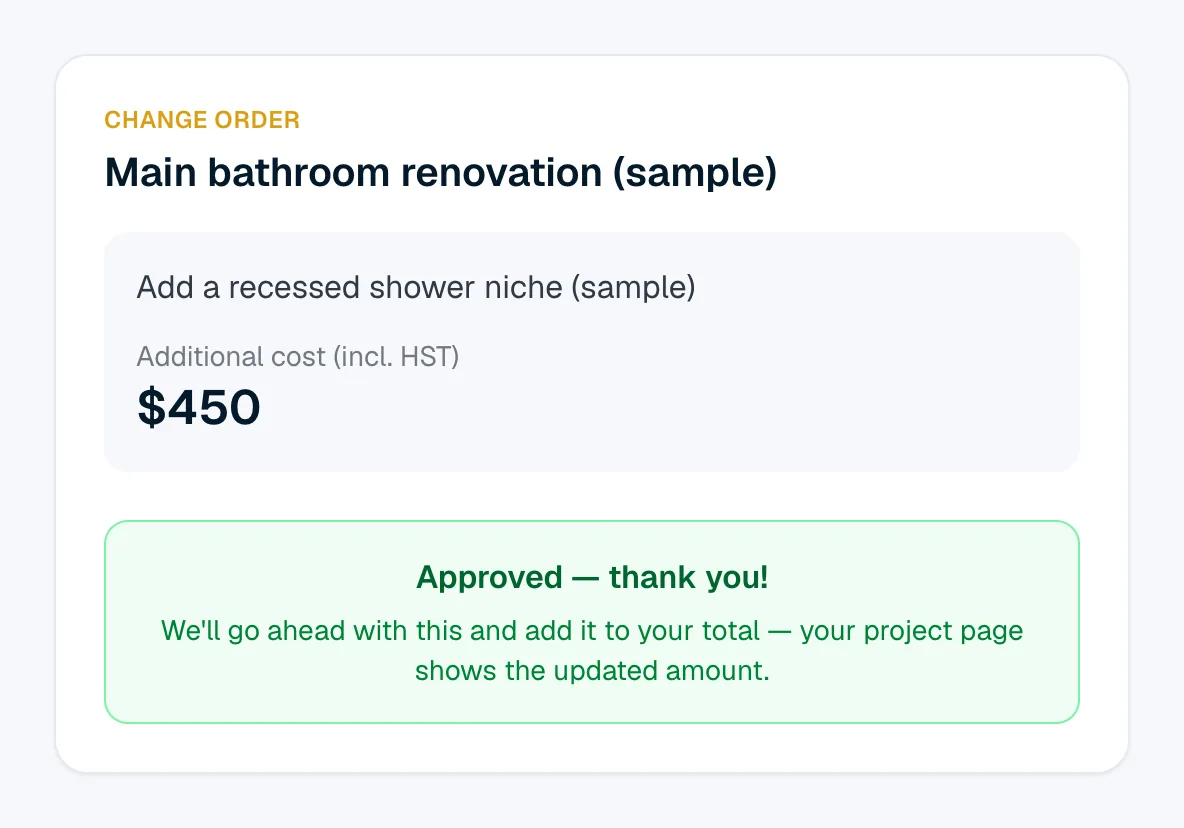
If something needs to change during the job, you get a change order online: what the work is and the additional cost, including HST. You review it and tap Approve or Decline.
Approved changes show up in your project total, listed separately.
One link for the whole project
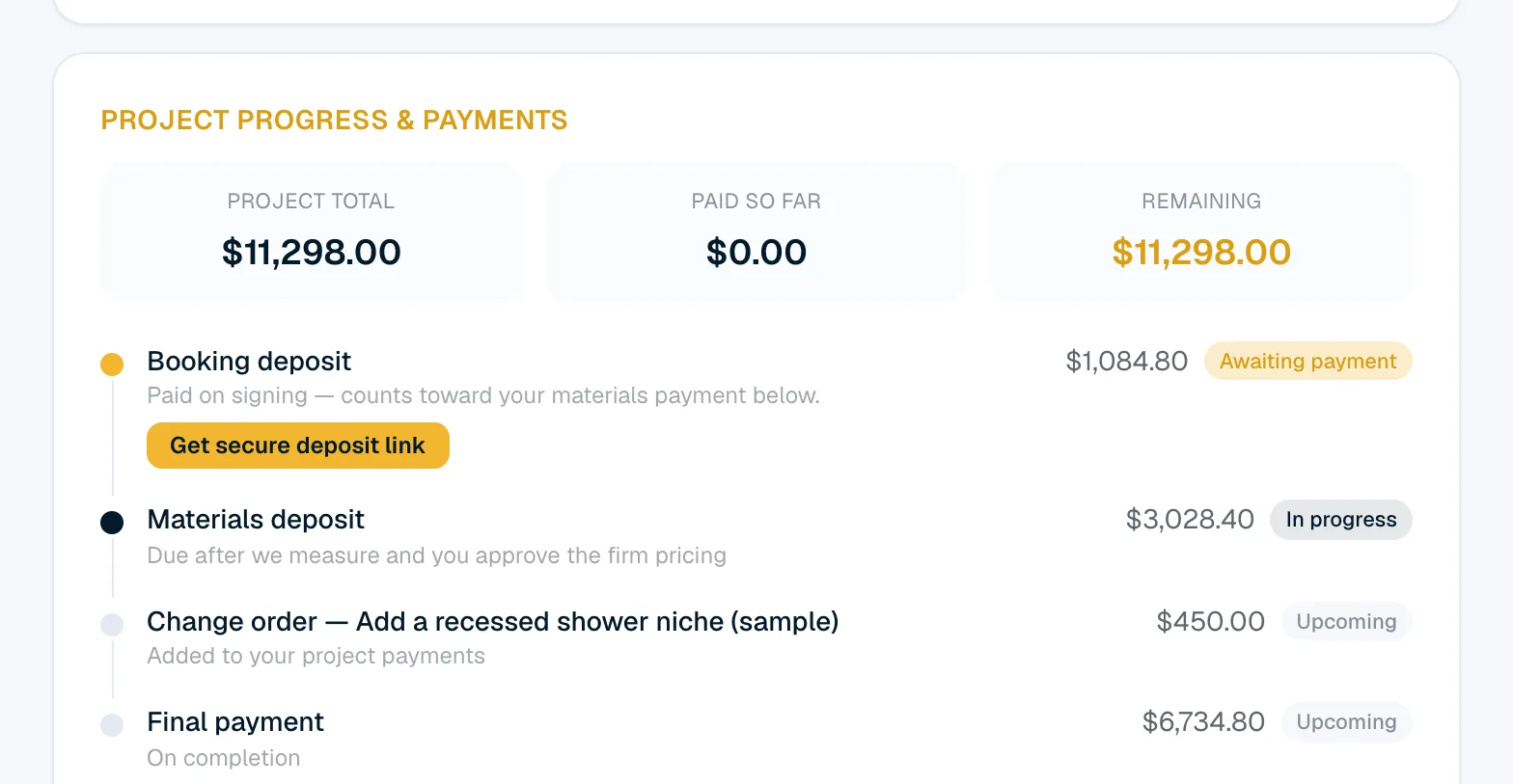
After you sign online, the same link becomes your project page. It shows your project total, what’s paid so far and what’s remaining, each payment stage, and where your money goes — the core work, your finish picks and the changes you approved.
- Paid so far and remaining, at a glance
- The scope of work you agreed, line by line

Watch the work get ticked off
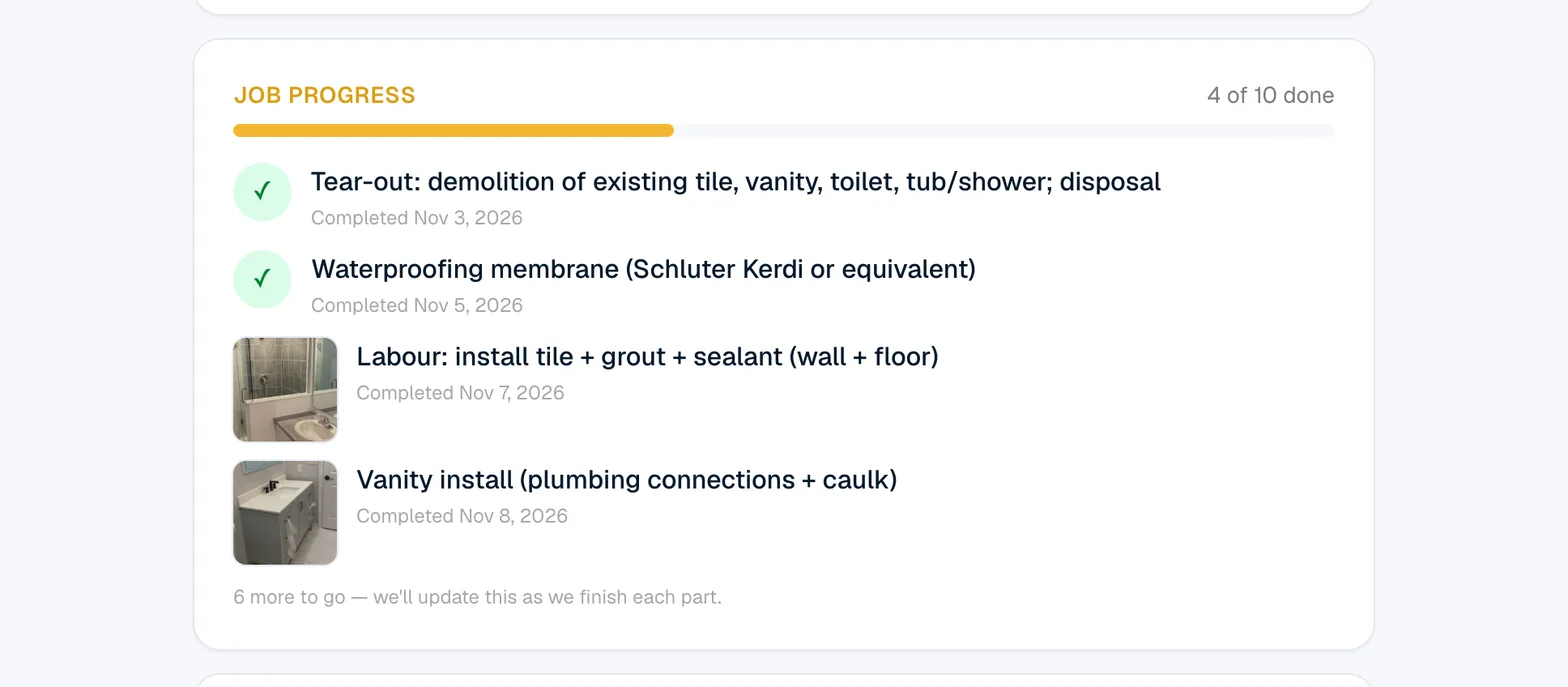
As each part of the job is finished, your project page ticks it off with the date — and a photo when we take one. A bar shows how far along the job is.
- Each finished part, with its date
- Photos of finished work, when we take them
On your phone too
Open it wherever you are
Your quote is a web page, so the same link opens on your phone as well as your computer — handy for checking a detail or showing it to someone else in the house.
Want a quote like this for your renovation?
It starts with a free site visit and an itemized quote, with no obligation.
All screens on this page are from a sample proposal, for illustration — your price depends on your project.